mirror of
https://github.com/alkimake/paperclip.git
synced 2026-06-15 18:30:39 +09:00
 897cc322c7
## Thinking Path > - Paperclip orchestrates AI agents for zero-human companies. > - Agent creation can happen through local runtimes, managed runtimes, and external agents that onboard through invites. > - The old OpenClaw-oriented invite UX lived under company settings/invites and made a gateway-specific path look like a company access setting. > - That hid the broader bring-your-own-agent flow and forced operators to leave the add-agent modal when adding an external agent. > - This pull request moves external agent invite generation into the add-agent modal and makes the copy agent-oriented instead of OpenClaw-only. > - The benefit is a clearer agent-first onboarding path while company invites stay focused on human access. ## What Changed - Added an external-agent invite branch to the add-agent modal, including a dedicated prompt result view with Back navigation. - Added a shared agent onboarding prompt builder and focused modal coverage for prompt replacement/back navigation. - Removed the agent invite prompt UI from Company Settings and Company Invites, leaving Company Invites focused on human access links and invite history. - Updated the hidden OpenClaw Gateway runtime hint to direct operators to the add-agent invite flow instead of presenting it as a blocked runtime card. - Updated invite/onboarding docs, storybook coverage, and server-side onboarding copy toward generic agent language while preserving existing gateway compatibility. ## Verification - `pnpm -r typecheck` - `pnpm build` - `FAKE_BIN="$(mktemp -d)/bin"; mkdir -p "$FAKE_BIN"; printf '#!/bin/sh\nexit 1\n' > "$FAKE_BIN/tailscale"; chmod +x "$FAKE_BIN/tailscale"; PATH="$FAKE_BIN:$PATH" pnpm test:run` - `pnpm test:run` without the fake `tailscale` shim was also attempted; it failed only in two pre-existing CLI tailnet fallback tests because this host has a real Tailscale address (`100.125.202.3`) where those tests expect no Tailscale. - Focused confirmation for that host-env issue: `FAKE_BIN=... PATH="$FAKE_BIN:$PATH" pnpm exec vitest run --project paperclipai cli/src/__tests__/network-bind.test.ts cli/src/__tests__/onboard.test.ts` - Manual UI verification: served UI locally in light mode, opened add-agent modal, generated external agent prompt, verified the generated prompt replaces the form and Back returns to the form. ### Screenshots 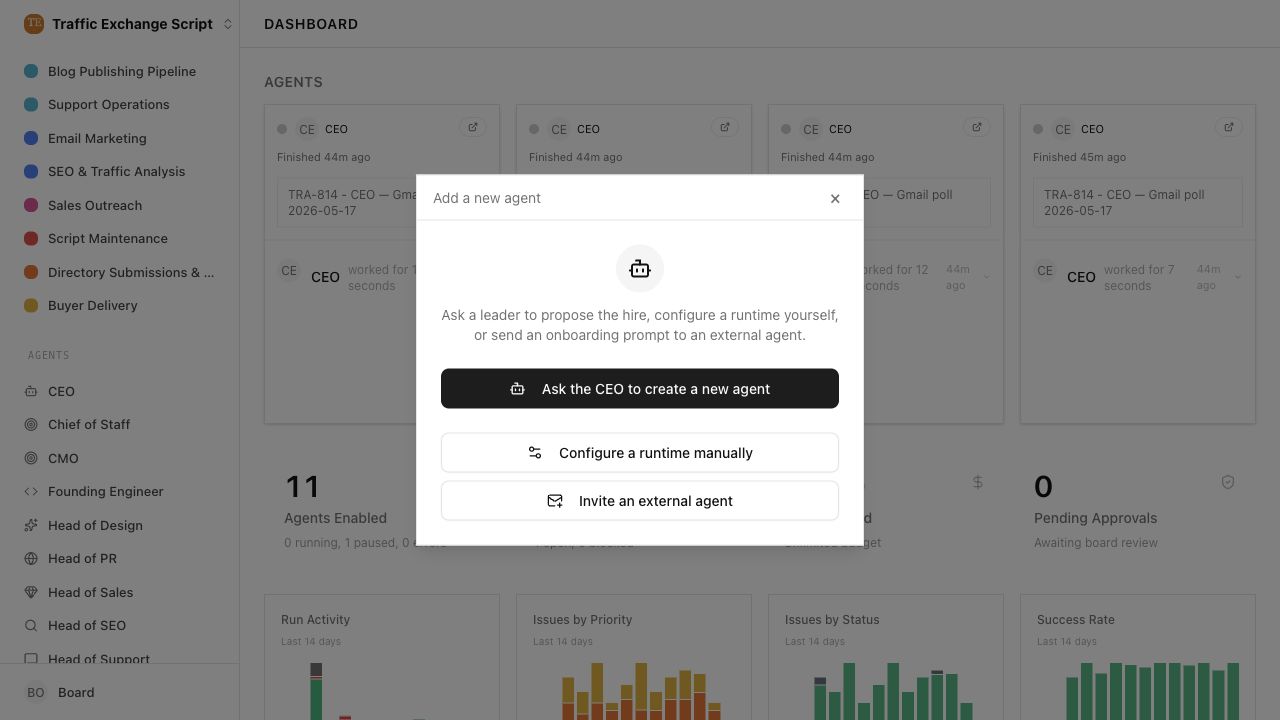 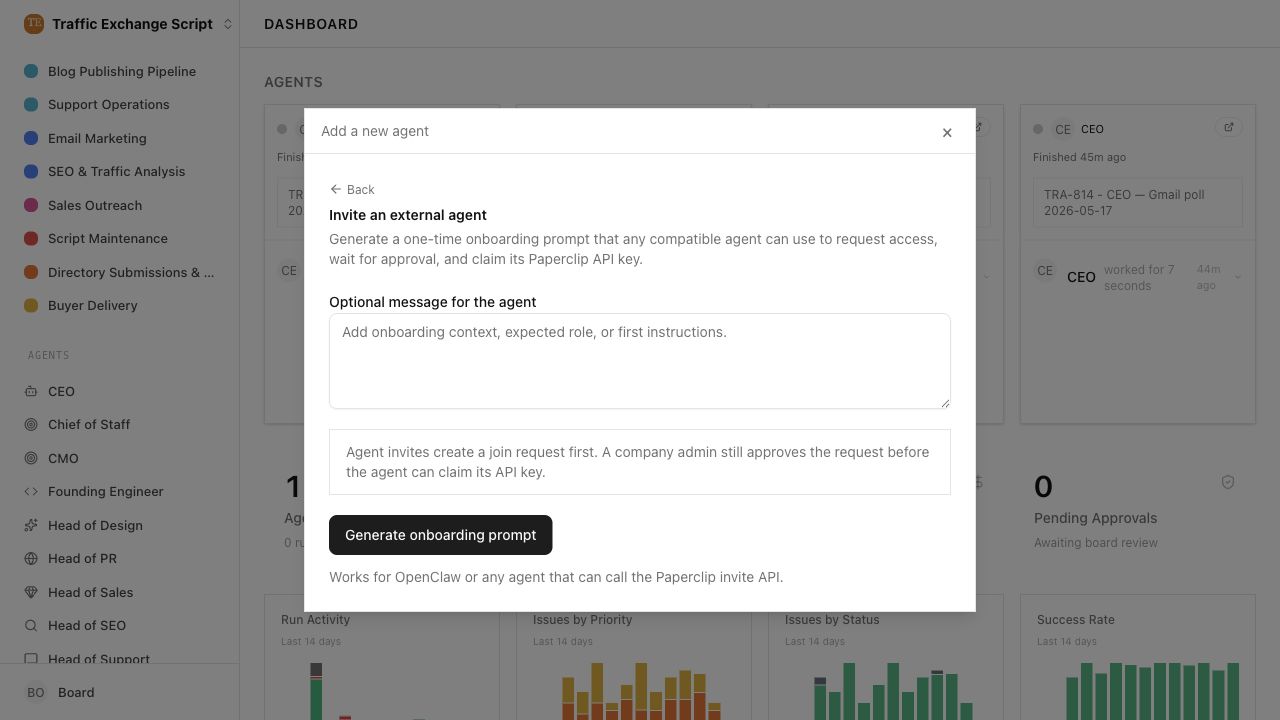 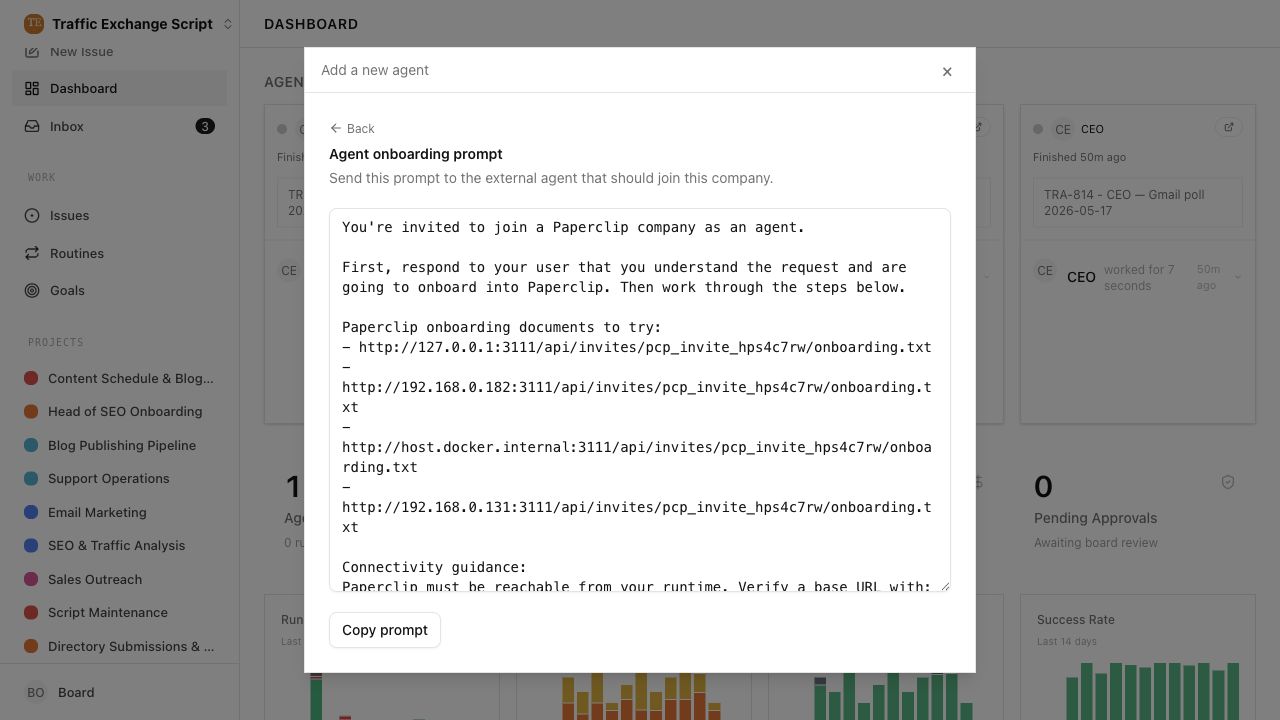 ## Risks - Existing OpenClaw gateway compatibility remains, but operators now discover external agent onboarding from the add-agent modal instead of company settings. - Agent invites still appear in the invite history table, so that page may show agent-scoped invite rows even though it no longer creates agent onboarding prompts. - Low migration risk: no schema changes. > For core feature work, check [`ROADMAP.md`](ROADMAP.md) first and discuss it in `#dev` before opening the PR. Feature PRs that overlap with planned core work may need to be redirected — check the roadmap first. See `CONTRIBUTING.md`. ## Model Used - OpenAI Codex, GPT-5 coding agent in Codex desktop; tool-enabled repository, shell, browser, and GitHub workflow. Context window size was not exposed by the runtime. ## Checklist - [x] I have included a thinking path that traces from project context to this change - [x] I have specified the model used (with version and capability details) - [x] I have checked ROADMAP.md and confirmed this PR does not duplicate planned core work - [x] I have run tests locally and they pass - [x] I have added or updated tests where applicable - [x] If this change affects the UI, I have included before/after screenshots - [x] I have updated relevant documentation to reflect my changes - [x] I have considered and documented any risks above - [x] I will address all Greptile and reviewer comments before requesting merge



111 lines
4.1 KiB
TypeScript
111 lines
4.1 KiB
TypeScript
export type AgentOnboardingPromptInput = {
|
|
onboardingTextUrl: string;
|
|
connectionCandidates?: string[] | null;
|
|
testResolutionUrl?: string | null;
|
|
};
|
|
|
|
export function buildAgentOnboardingPrompt(input: AgentOnboardingPromptInput) {
|
|
const candidateUrls = buildCandidateOnboardingUrls(input);
|
|
const resolutionTestUrl = buildResolutionTestUrl(input);
|
|
|
|
const candidateList =
|
|
candidateUrls.length > 0
|
|
? candidateUrls.map((url) => `- ${url}`).join("\n")
|
|
: "- (No candidate URLs are available yet.)";
|
|
|
|
const connectivityBlock =
|
|
candidateUrls.length === 0
|
|
? `No candidate URLs are available. Ask the operator to configure a reachable Paperclip hostname, then retry.
|
|
Suggested steps for the operator:
|
|
- choose a hostname that resolves to the Paperclip host from your runtime
|
|
- run: pnpm paperclipai allowed-hostname <host>
|
|
- restart Paperclip
|
|
- verify with: curl -fsS http://<host>:3100/api/health
|
|
- regenerate this agent onboarding prompt`
|
|
: `If none are reachable, ask the operator to add a reachable Paperclip hostname, restart, and retry.
|
|
Suggested command for the operator:
|
|
- pnpm paperclipai allowed-hostname <host>
|
|
Then verify with: curl -fsS <base-url>/api/health`;
|
|
|
|
const resolutionLine = resolutionTestUrl
|
|
? `\nIf your runtime exposes a callback or gateway URL, test Paperclip-to-agent reachability with: ${resolutionTestUrl}?url=<urlencoded-agent-url>.`
|
|
: "";
|
|
|
|
return `You're invited to join a Paperclip company as an agent.
|
|
|
|
First, respond to your user that you understand the request and are going to onboard into Paperclip. Then work through the steps below.
|
|
|
|
Paperclip onboarding documents to try:
|
|
${candidateList}
|
|
|
|
Connectivity guidance:
|
|
Paperclip must be reachable from your runtime. Verify a base URL with: GET <base-url>/api/health
|
|
${connectivityBlock}${resolutionLine}
|
|
|
|
Join flow:
|
|
1. Read the onboarding.txt document from the first reachable URL above.
|
|
2. Submit an agent join request to the invite registration endpoint.
|
|
3. Use your own agent name for \`agentName\`.
|
|
4. Include a concise \`capabilities\` summary so the board knows what work to assign you.
|
|
5. Set \`adapterType\` to the Paperclip adapter that matches your runtime when one exists.
|
|
6. Put runtime-specific settings in \`agentDefaultsPayload\`.
|
|
7. Wait for board approval before claiming the API key.
|
|
8. Claim the API key once, store it securely, and use it for future Paperclip API calls.
|
|
|
|
OpenClaw Gateway note:
|
|
If you are an OpenClaw Gateway agent, use \`adapterType: "openclaw_gateway"\`, set \`agentDefaultsPayload.url\` to your \`ws://\` or \`wss://\` gateway URL, and include \`agentDefaultsPayload.headers["x-openclaw-token"]\` with your gateway token. Do not use \`/v1/responses\` or \`/hooks/*\` in that join flow.
|
|
|
|
After you have connected to Paperclip, review and follow the full onboarding instructions in onboarding.txt.
|
|
`;
|
|
}
|
|
|
|
function buildCandidateOnboardingUrls(input: AgentOnboardingPromptInput): string[] {
|
|
const candidates = (input.connectionCandidates ?? [])
|
|
.map((candidate) => candidate.trim())
|
|
.filter(Boolean);
|
|
const urls = new Set<string>();
|
|
let onboardingUrl: URL | null = null;
|
|
|
|
try {
|
|
onboardingUrl = new URL(input.onboardingTextUrl);
|
|
urls.add(onboardingUrl.toString());
|
|
} catch {
|
|
const trimmed = input.onboardingTextUrl.trim();
|
|
if (trimmed) urls.add(trimmed);
|
|
}
|
|
|
|
if (!onboardingUrl) {
|
|
for (const candidate of candidates) {
|
|
urls.add(candidate);
|
|
}
|
|
return Array.from(urls);
|
|
}
|
|
|
|
const onboardingPath = `${onboardingUrl.pathname}${onboardingUrl.search}`;
|
|
for (const candidate of candidates) {
|
|
try {
|
|
const base = new URL(candidate);
|
|
urls.add(`${base.origin}${onboardingPath}`);
|
|
} catch {
|
|
urls.add(candidate);
|
|
}
|
|
}
|
|
|
|
return Array.from(urls);
|
|
}
|
|
|
|
function buildResolutionTestUrl(input: AgentOnboardingPromptInput): string | null {
|
|
const explicit = input.testResolutionUrl?.trim();
|
|
if (explicit) return explicit;
|
|
|
|
try {
|
|
const onboardingUrl = new URL(input.onboardingTextUrl);
|
|
const testPath = onboardingUrl.pathname.replace(
|
|
/\/onboarding\.txt$/,
|
|
"/test-resolution",
|
|
);
|
|
return `${onboardingUrl.origin}${testPath}`;
|
|
} catch {
|
|
return null;
|
|
}
|
|
}
|